✦ History of every file.
✦ Branching and merging
✦ Traceability
👇🏻Answer to all your questions👇🏻
Version control, also known as source control, is the practice of tracking and managing changes to software code.
Version control systems are software tools that help software teams manage changes to source code over time.
As development environments have accelerated, version control systems help software teams work faster and smarter.
They are especially useful for DevOps teams since they help them to reduce development time and increase successful deployments.
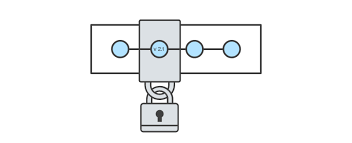
✦ History of every file.
✦ Branching and merging
✦ Traceability
By far, the most widely used modern version control system in the world today is Git.
Git is an example of a DVCS (hence Distributed Version Control System).
In Git, every developer's working copy of the code is also a repository that can contain the full history of all changes.
In addition to being distributed, Git has been designed with performance, security and flexibility in mind.
Download Git.
git init
Initialises a git repository (repo) for a new or existing project. Run command in the root of your project directory.
git clone ("https://name-of-the-repository-link")
Makes an identical copy of the latest version of a project in a repo (e.g. Github) and saves it to your computer.
git status
gives all the necessary information about the current branch (working directory), i.e, changes made since last commit.
git add.
When you create, modify or delete a file, changes happen in your local and won't be included in the next commit, so you need to use git add to include changes of any file(s) into your next commit
git commit -m "your commit message"
There will be a point in development where you want to save your changes. You also need to write a short message to explain what you've changed or developed in your code.
git push (remote) (branch-name)
After committing your changes you need to send your changes to the remote server. Git push uploads your commits to the remote repository.
git pull (remote)
git pull is used to get updates from the remote repo. When we use git pull, it gets updates from remote repos (git fetch) and applies the latest changes in your local (git merge).
git merge (branch-name)
When you've completed development in your branch, the final step is merging the branch with the parent branch (dev or master). Git merge integrates your feature branch with all of its commits back to the dev (or master) branch.
GitHub, Inc. is a provider of Internet hosting for software development and version control using Git.
It offers the distributed version control and source code management (SCM) functionality of Git, plus its own features.
It provides access control and several collaboration features such as bug tracking, feature requests, task management, continuous integration and wikis for every project.